
Applied guide
Your digital home: accounts, sessions and app permissions
Separate passwords, active sessions and delegated app access with one concrete account example.
Start with the access you want to review
A home-network password, an account password, a browser session and an app permission answer different questions. Joining a network does not itself authorize administration of a router or access to every account. The network distinction is developed in our existing two-passwords guide; this article follows the account layer.
Consider a document called Trip Plan in a personal account. You use a browser to read it and once allowed a planning app to read selected profile information. An online shop uses another account; if it shares the email account’s password, a leak at the shop can enable attempts against the email account. These are separate relationships.
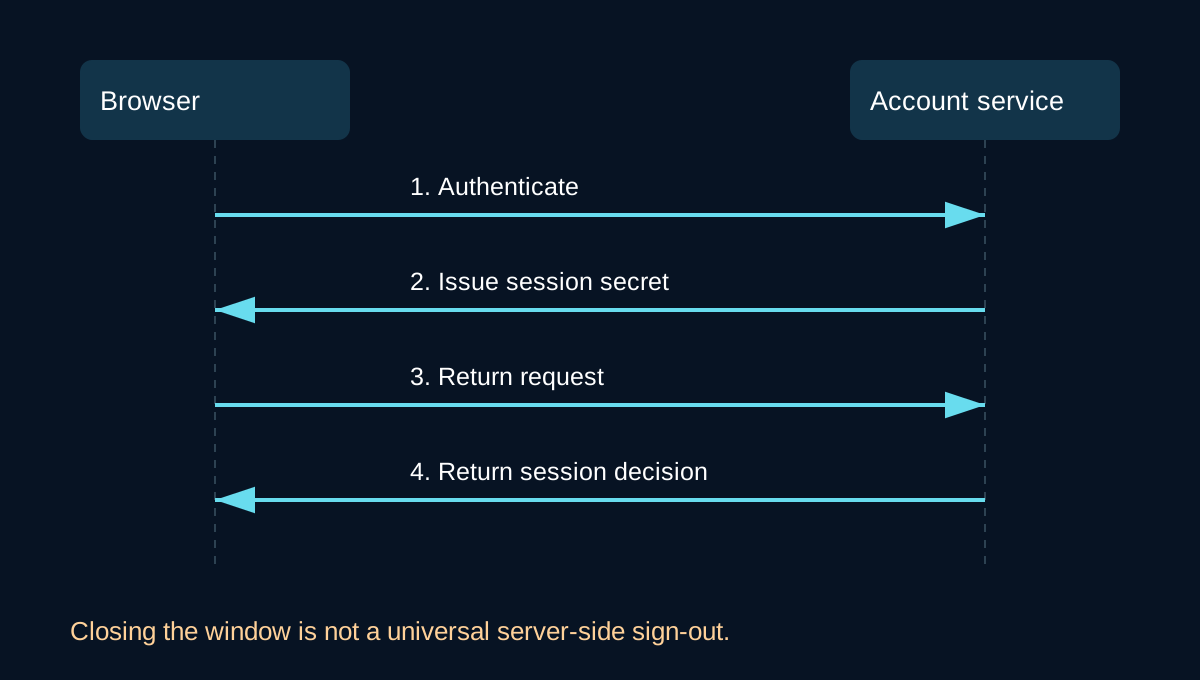
A closed window is not a universal sign-out
After successful authentication, a service can use a session secret to recognize later requests. The browser window is the interface; the account service controls whether a session is valid. Some sign-in mechanisms or browser restore behavior let access resume without typing the password again. This depends on the service. Do not assume every cookie survives closing a browser or every return visit uses the same session.
NIST SP 800-63B-4, section 5: session management explains the distinction between authentication and session continuity. Its requirements concern specified digital-identity systems, not a claim that every consumer service conforms. OWASP Session Management discusses expiration, explicit logout and the limits of browser-close detection.
On an account you control, locate active devices and sessions, identify which access you recognize, end what is unnecessary and verify the result. A confusing device name alone is not evidence of intrusion. Ending one session may not remove every other login or app grant. Use the service’s recovery guidance if access appears compromised, and preserve relevant observations without sharing private account details.
Password reuse creates a connection between accounts
If a shop and an email account use the same credential, exposure at one service can enable attempts against the other. This does not guarantee successful entry: additional authentication and service defenses matter. OWASP Credential Stuffing Prevention describes this reuse-based threat.
Use distinct, long passwords stored in a suitable password manager, or supported passkeys, and review available multifactor authentication. Prioritize the email account and recovery paths that other accounts depend on. If a password is exposed, replace it wherever it was reused; do not turn an incident response into a claim that one change proves the absence of compromise.
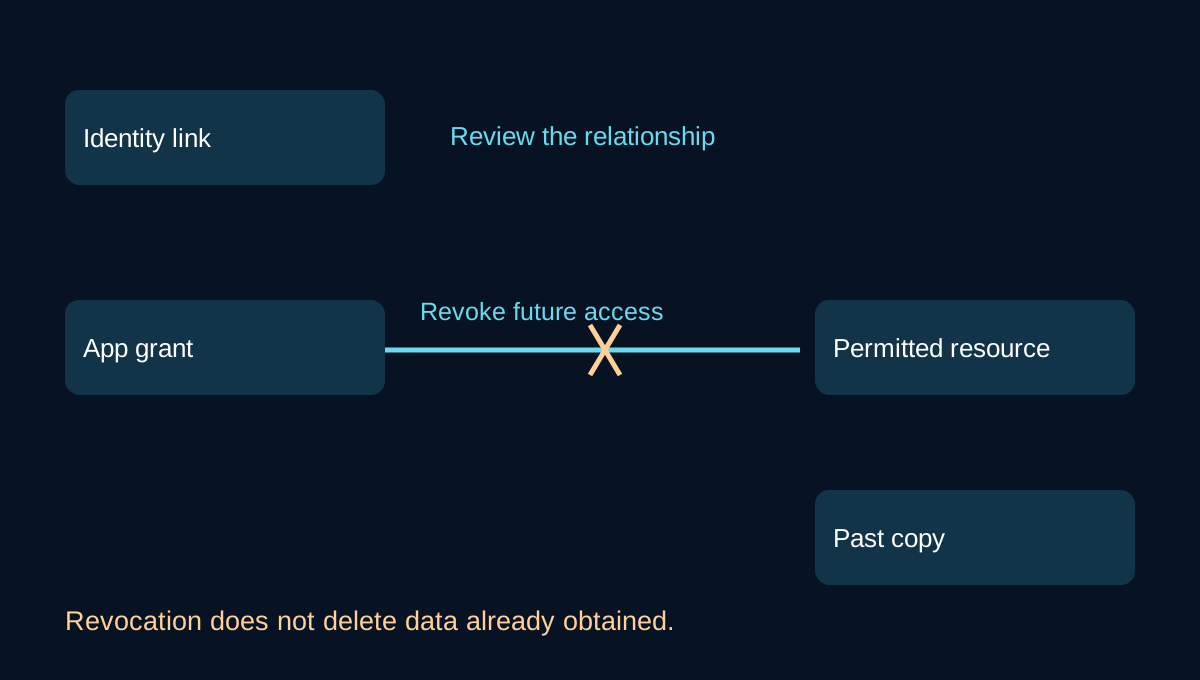
Signing in is not permission to read everything
A connected app may use an identity link, delegated access, or both. Examine the grant’s actual resource and allowed action. A profile-only example does not imply email or file access. The correct question is what this particular app was authorized to do, and whether that access is still needed.
RFC 9700 section 2.3 recommends restricting access-token privileges to what the use case requires. A provider’s linked-app documentation shows why sign-in links and data-access relationships must be reviewed separately. Interfaces vary; these references are evidence, not a universal sequence of buttons.
Removing permission can limit future authorized access. It does not erase copies already received by the app. Data deletion, account closure and grant revocation are different operations with different consequences.
Copied, altered or unavailable?
Use three security objectives to describe the observation: confidentiality concerns inappropriate disclosure, integrity concerns improper modification, and availability concerns timely usable access. The NIST information-security glossary defines these objectives.
If Trip Plan was copied, changing a file’s contents will not erase the copy. If it was changed, a version history may help establish what happened. If it is unavailable, distinguish an access problem from a service or recovery problem. Access controls, verification, version history, backups and recovery each address part of the situation. No single symptom proves an attack and no single control guarantees all three objectives.
A small review with an observable result
Choose one account. Identify its recovery path, inspect active sessions and review one connected app’s exact permission. Make only changes you understand and are authorized to make, then verify access and recovery. Keep the credential, session and app-grant checks distinct. Document uncertain results and seek the service’s official support when needed.
Source review: 16 October 2026. Sources above are primary standards, specialist implementation guidance and official provider documentation.
Original episode: English Ep0, with a Portuguese edition. Session persistence, app permissions, credential reuse and security objectives are complementary parts of that episode.